What's happening?
We've introduced 'Confirmation of Payee' to online banking.
This means we'll check that the account owner's name aligns with the account number of the individual or business you're paying.
What this means for you
When making a payment to a new payee, you'll need the account number and the correct name of the account owner available.
More about Confirmation of Payee
Confirmation of Payee is a security feature that checks whether the account name entered matches the name on the account you’re paying. This helps reduce the risk of scams and gives you more confidence that your payment is being sent to the right person.
Checking the account owner's name and the account number builds a stronger, safer payment experience.
Confirmation of Payee will be prompted when you:
✅ Make a one-off payment
✅ Save a new payee
✅ Edit an existing payee
What to expect
When making a payment, we’ll check if the account name and account number match. You'll be notified if the details you added are an exact match, a partial match, or if they don't match at all.
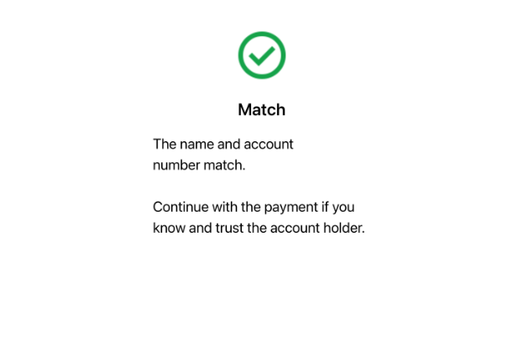
▪️Match
You’ll receive a match when the owners account name and number match.
Even when you get a match, you should still make sure you check over the details and know and trust the person or business you’re paying.
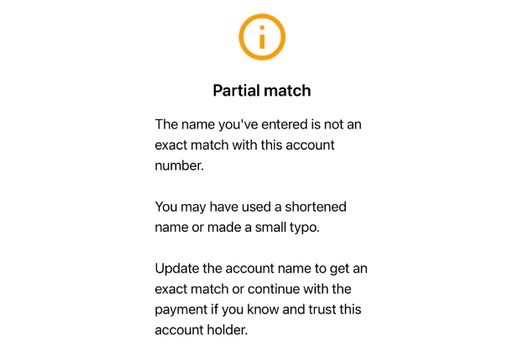
▪️Partial match
A partial match means the account name entered is similar to the registered name, but not an exact match.
You may want to check for simple errors, such as spelling mistakes, nicknames, initials, or shortened names.
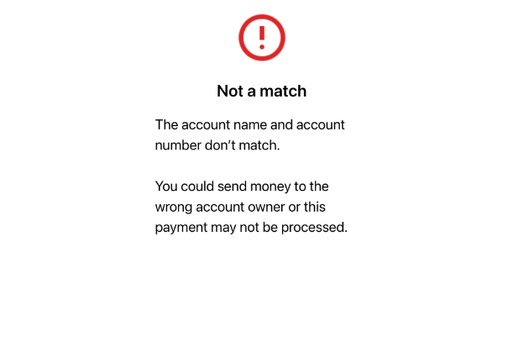
▪️Not a match
'Not a match' means the name entered does not match the account details.
If you continue, there is a risk that the payment could be sent to the wrong account and may not be recoverable.
Sharing your account details
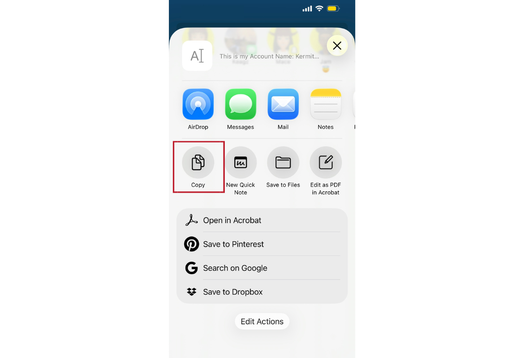
You can copy and share your account details from internet and mobile banking. The account name and number shown will be used for Confirmation of Payee matching for people making payments to your PCU account.
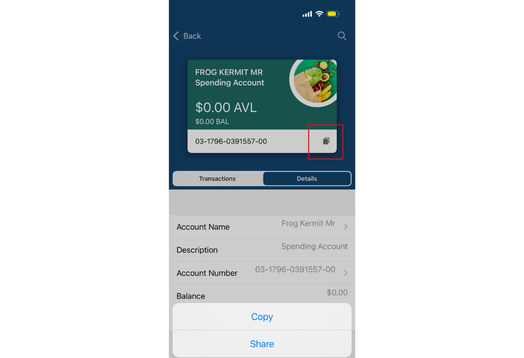
1.
Select the Copy/Share paper icon beside your account number and select either Copy or Share.
2.
Copy/Share the details through whichever app or tool you like.
FAQ'S
Q: Why is Confirmation of Payee important?
A: Ensuring the account owner's name and account match gives you more confidence that you’re paying the correct person or business. It adds another layer of protection from potential scams and fraud.
Q: What if I go by a different name to my legal name?
A: Your bank account will use your first and last name registered to the bank account.
If you have recently changed your legal name, please contact us so we can update your personal information.
Q: What does ‘match’ mean?
A: When you enter the account owner's name and number, and they are a match, you'll be notified that it is a ‘match’. This means the account name and number are an exact match.
Q: What does ‘partial match’ mean?
A: A partial match means that some information matches, but there may be a small difference with the spelling of the account owner's name.
Q: What does ‘not a match’ mean?
A: When you enter the account owner's name and number, and they do not match, you will be notified that it is ‘not a match’. This means you may have entered it incorrectly, or it could be the wrong account number.
Q: What does 'Payee check unavailable' mean?
A: The person or business you're paying may not provide the same checking service, or the account number could be wrong, closed, or may not be able to accept payments.
Q: How do I share my bank details?
A: Select the account you wish to receive payments into and tap the select icon near your account name and number. You can then copy the details or share them through your preferred application.
Q: Can someone access my account if they have my account number?
A: No. An account number alone cannot be used to access your banking or withdrawals funds from your account.
Q: Why is my account nickname different from the account name being shared?
A: The account nickname is what you’ve named it yourself, but all of the account names that you share will use your official account owner name.